
TL;DR
- WYN designed an updated public website for HouseMaster and its HouseMaster Cloud app.
- Providing unique experiences for buyers, sellers, and agents in a mobile-first interface.
Situation
HouseMaster is a Neighborly company with more than 200 franchise locations across the U.S. and Canada and more than 3.5 million homes inspected.
The Problem
Buyers, sellers, and agents manually reconcile inspection findings and requests across PDFs and email.
What WYN Shipped
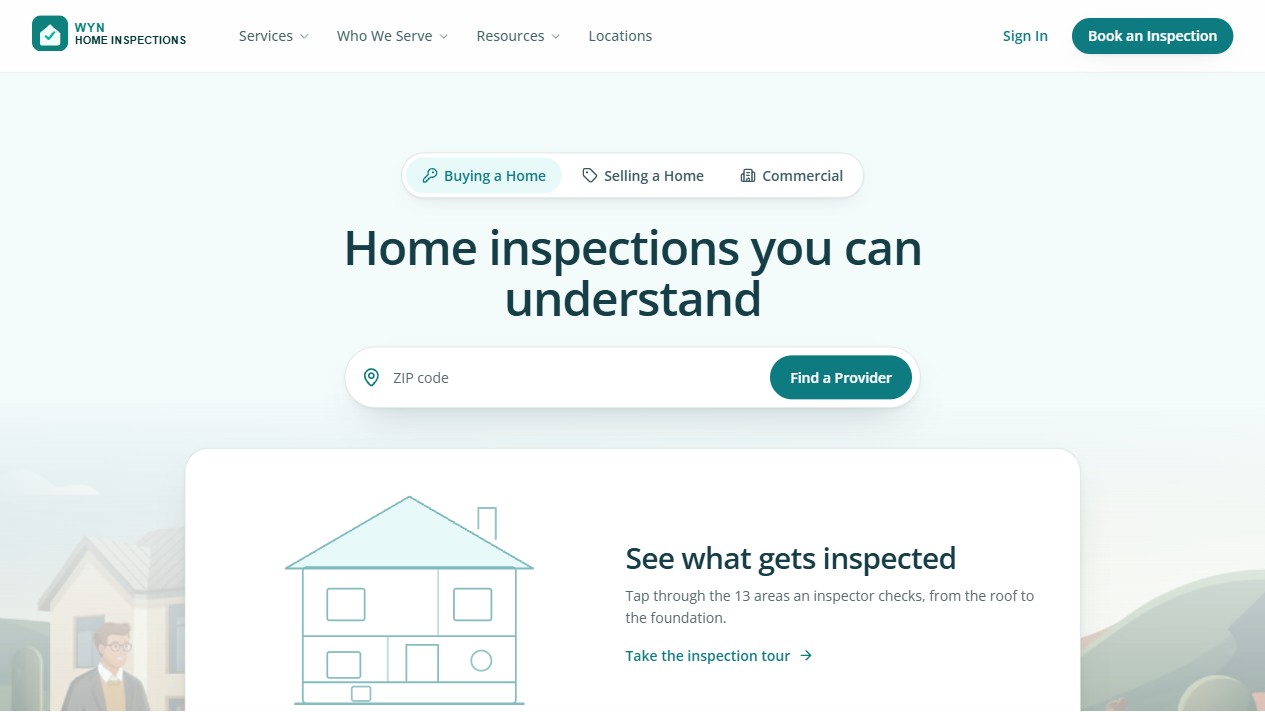
- Public website: explain HouseMaster's home inspection services and connect customers with a local inspector.
- Report publishing: support interactive reports and PDFs from HomeGauge and InspectionX with permanent source references.
- Report lifecycle: distinguish new reports, resends, corrections, addenda, reinspections, retests, and archived filings.
- Access and delivery: preserve the intended report through invitation, sign-in, payment status, authorization, and notification tracking.
- Inspection experience: give customers one mobile path to the current report, photos, addenda, ancillary reports, and downloads.
- HouseMaster Repair List: guide the named customer through eligible findings and create a client-ready list without retyping the report.
- Report guidance: answer questions from inspection details, cite the source finding, and route unresolved questions to the inspector.
- Role handoff prototypes: explore buyer submission, seller response, and agent review, download, and sharing.
- Book services locally: group agreed repairs so the seller can request local service.
- System continuity: preserve report-view tracking, Cloud-to-ISN controls, administration, support access, and existing report compatibility.
Public Website
For Buyers
The buyer reviews the Repair List, then opens the matching source finding in the report.
View screenshot of Buyer Repair List in HouseMaster Cloud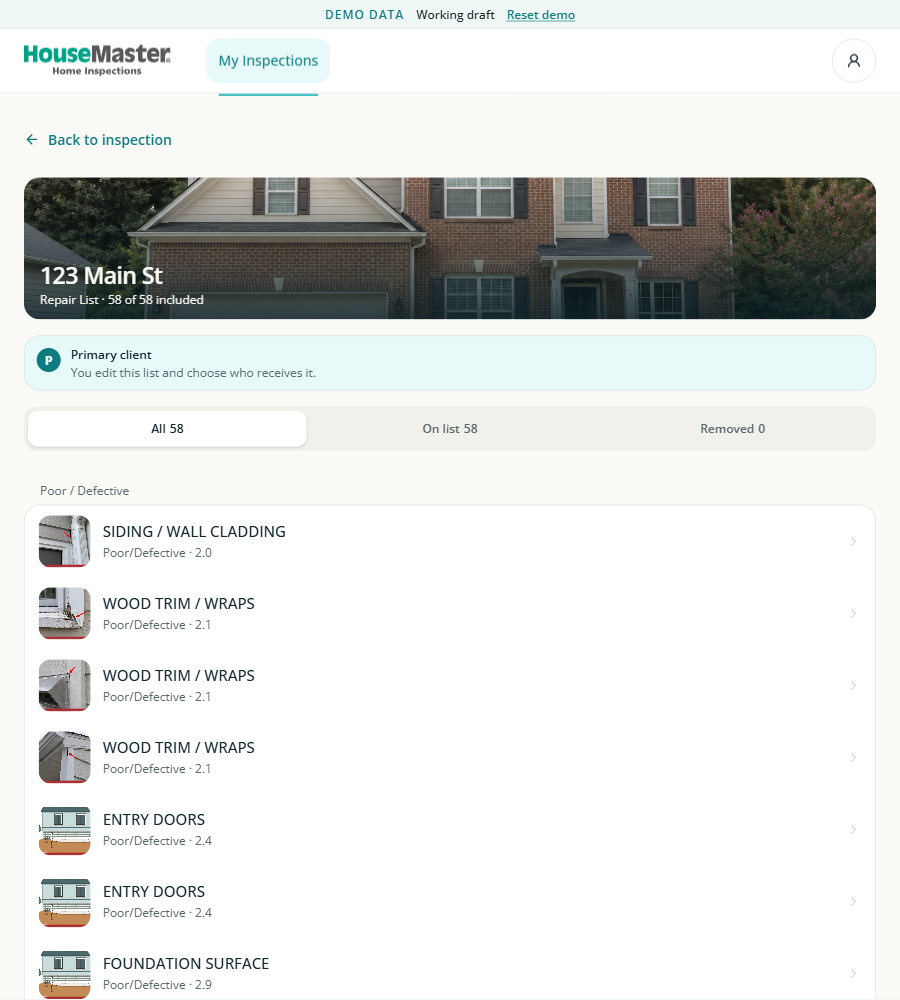
Read walkthrough
- Review the Repair List for 123 Main St.
- Open a requested item and trace it back to the inspector's finding.
For Sellers
The seller reviews a buyer request and selects a response inside the inspection report.
View screenshot of Seller Response in HouseMaster Cloud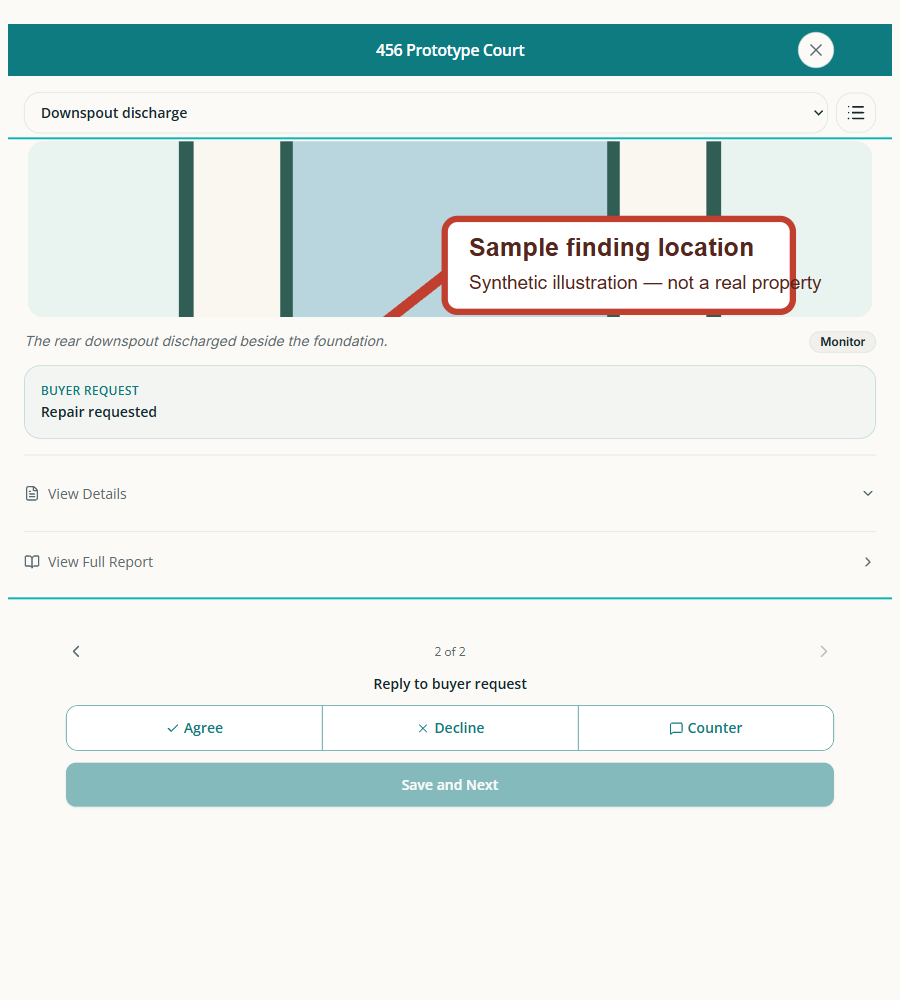
Read walkthrough
- Open a requested finding and review the inspector details.
- Answer the buyer request and prepare the response.
For Agents
The agent opens a listed property from My Inspections and reviews its first report finding.
View screenshot of Agent Inspection Review in HouseMaster Cloud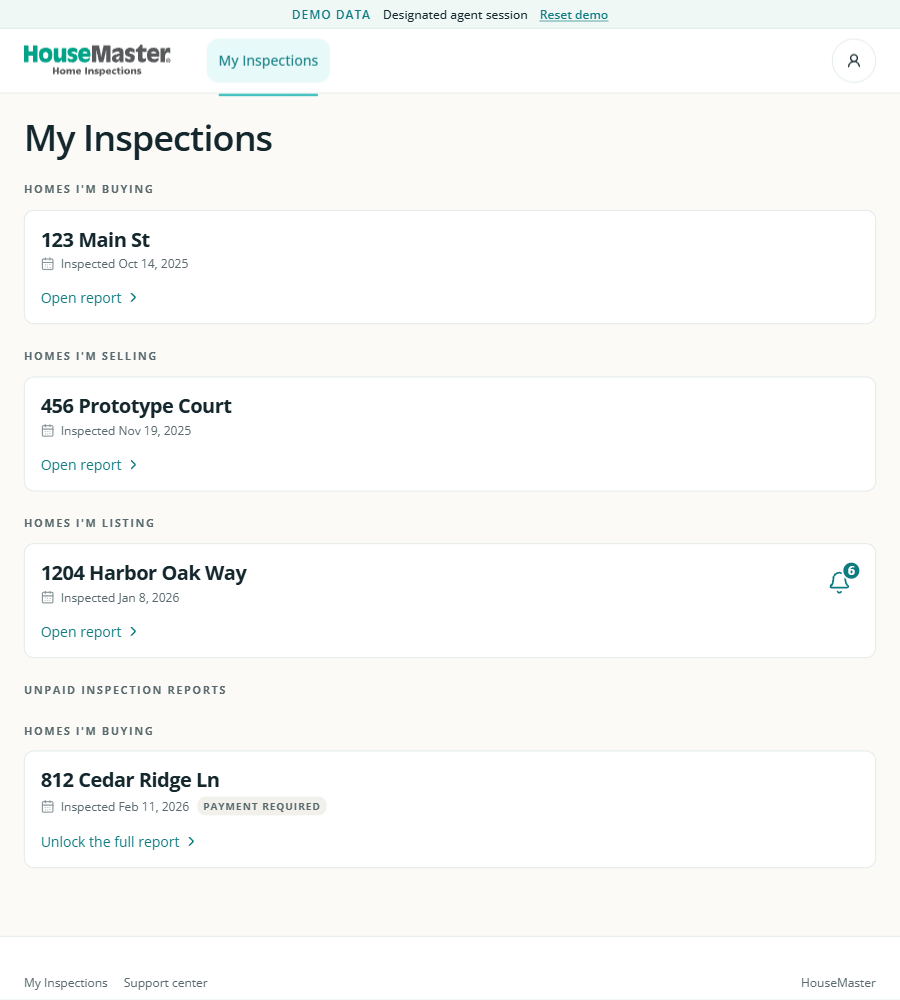
Read walkthrough
- Open 1204 Harbor Oak Way under Homes I'm Listing.
- Read the finding and inspector details.
How We Worked
One AI-enabled product owner took the public website and HouseMaster Cloud from requirements through deployment—owning product strategy, design, development, testing, and release. WYN delivered the work of a conventional cross-functional team with one accountable owner, far fewer resources, and substantially fewer handoffs.
Why WYN
WYN was selected for its experience working across fragmented home services systems and its record of delivering products alongside Neighborly teams. We worked inside the team, made decisions with stakeholders, and carried the product from requirements through deployment.